
VIDEO EXPERIENCE
Toy Car to Real Car AI
Your car starts as a miniature on a train windowsill. A dark passage opens onto a full-size drive. Pick a journey and make a 14-second video from one car photo.
Launched
AI examples made by our team. The sports-car sample is 15 seconds; new generations are 14 seconds. Details and wheel motion can vary.
This previews the selected journey. Your uploaded car replaces the sample car when you generate.
A whole-car photo, an actual generated result
Our test replaces a silver sports car with the red Audi shown here, in both the miniature and road scenes. Body details vary; this example shows the current result quality.
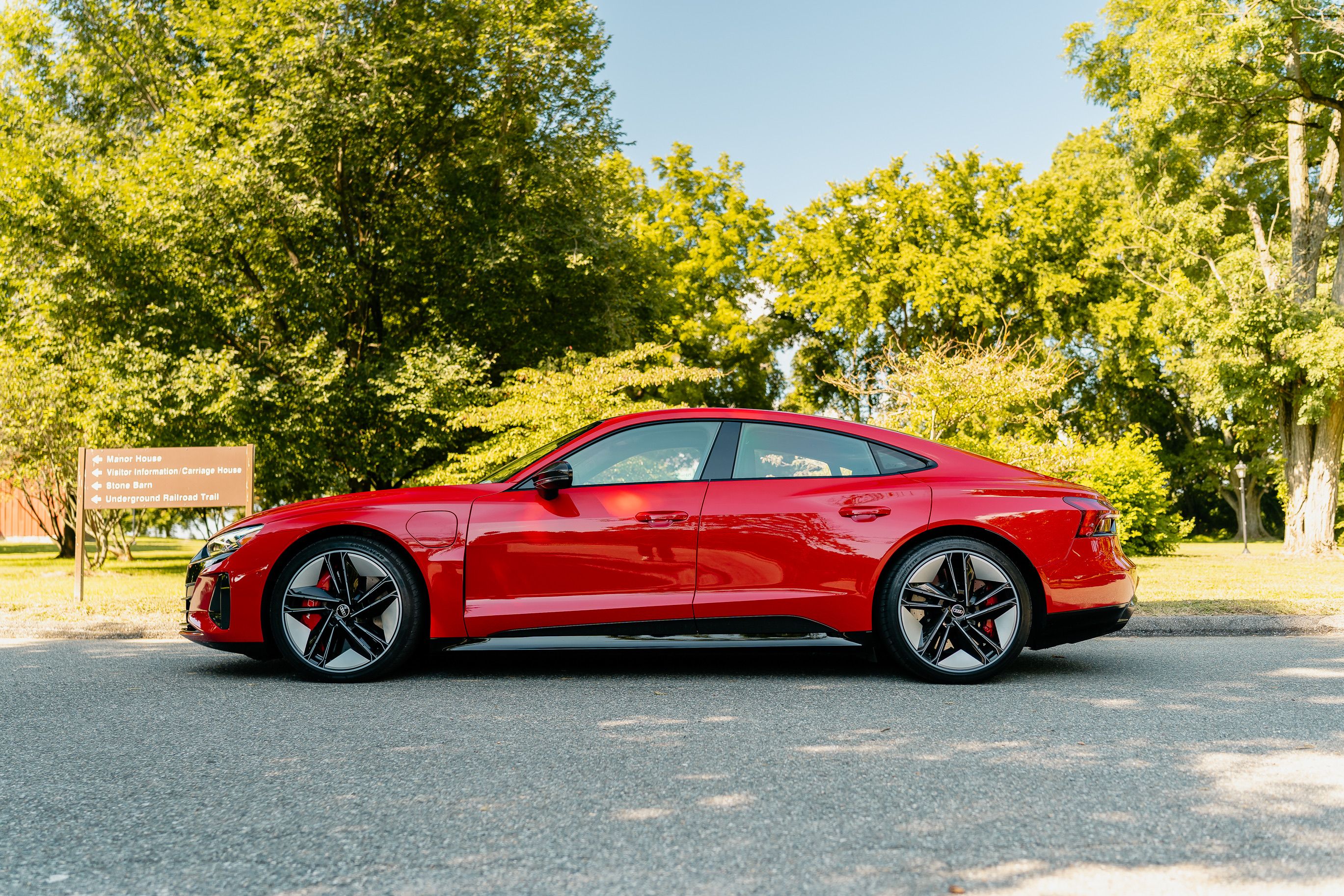
Reference photo: Garvin St. Villier / Pexels
THE RECIPE
From your car photo to a miniature-to-road video
Your car starts as a miniature on a train windowsill. A dark passage opens onto a full-size drive. Pick a journey and make a 14-second video from one car photo.
- 01
Show the whole car
Use one clear photo with the roof, wheels and body in frame. Avoid cropped bumpers, heavy shadows and other cars blocking it.
- 02
Choose a vehicle and a journey
Selecting a vehicle suggests a scene. You can choose another journey; its preview updates immediately. The photo defines the car.
- 03
Generate and download
Review the 560-credit cost, then generate. Follow progress here or in My Creations. The finished MP4 includes the template soundtrack.
One train-window transition, six different destinations
The toy car to real car trend starts with a small car on a moving train windowsill. A tunnel hides the scale change before the car appears on the road. LoftNum uses six prepared scenes and your car photo to replace both the miniature and the full-size car. Choose a sunlit track, mountain escape, sunset lake, canyon road, elevated city train or coastal night.
Questions before you start
Does this use my LoftNum credits?
Yes. This is a LoftNum template, using your existing account, wallet and My Creations. Each 14-second video costs 560 credits. Purchased credits follow the existing 12-month validity.
Can I change the scenery as well as the car?
Choose any of the six journeys. Each includes the cabin, scenery outside the window, dark transition and destination road. Custom background uploads are not offered in this template.
Does the download include audio?
Yes. The video is generated without model audio, then combined with the original template soundtrack. You download one MP4 with both picture and sound.
Will every detail of my car match?
The photo guides the body, paint and proportions. AI may alter wheels, badges or rear details. A clear whole-car photo helps; an exact replica is not guaranteed.