
PHOTO EXPERIENCE
AI Halloween Photo Editor
A shadow at the window. A strange little companion. Give an ordinary photo an unexpected twist.
Preview · launch date pending
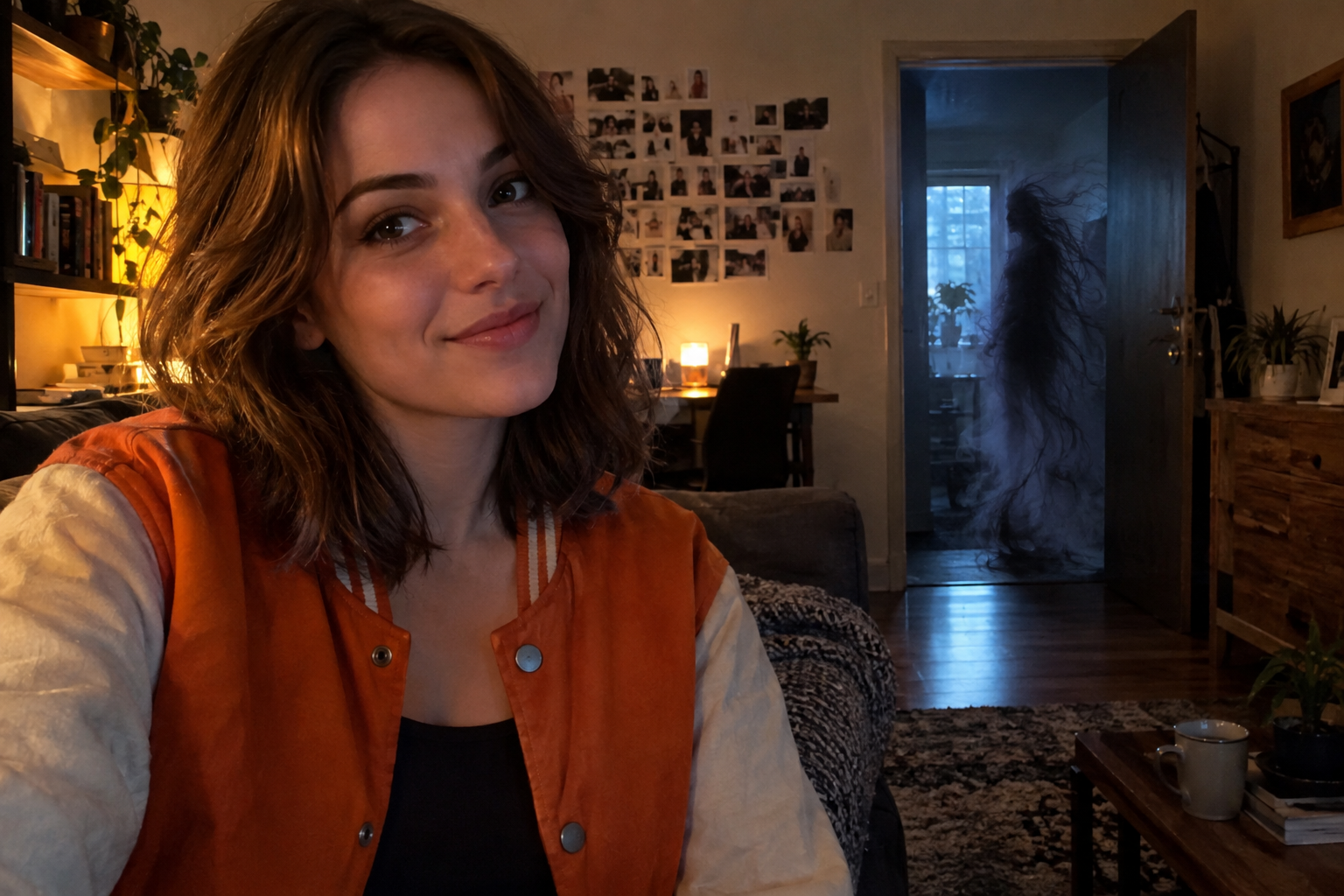
Effect illustration · not a site test result
Stay close to your original photo.
THE RECIPE
Plan your Halloween AI photo
Start with your own photo and add an original shadow, floating lantern creature or mist companion. Choose a suggested position and mood to generate a PNG photo edit in your original scene.
- 01
Start with your photo
Choose a JPG, PNG or WebP up to 10 MB. A clear face and some space around the person make the placement easier to plan.
- 02
Place an original companion
Choose an original companion and a suggested position. The instructions keep people in front of the creature. Custom descriptions are available only when manual review is offered.
- 03
Set the scene and mood
Keep your photo setting, adjust the mood, check the credit price, and generate. Custom scene changes are shown only when their review service is available.
Questions before you start
Will my original background stay the same?
The default asks for a localized addition while preserving the person and setting as closely as possible. It is not a promise of pixel-perfect preservation. Custom background changes are unavailable unless explicitly offered in the editor.
Can I choose exactly where the companion appears?
Choose a suggested position such as behind you, at a doorway, outside a window or in the distance. These are AI instructions, not pixel-exact placement or a guarantee of perfect occlusion.
Which horror characters are available?
This preview uses three original companion concepts. It does not offer branded movie characters or licensed film masks. The intended style is playful suspense without graphic gore.
When are my files uploaded?
Photos stay on your device until you click Generate. That action uploads them to private storage and starts the checked generation workflow. Completed or failed work can be deleted in My creations. See the privacy notice for retention details.