
VIDEO EXPERIENCE
Dame Hombro Baby Dance AI — Held in Arms
Make the version where an adult holds your baby while dancing to Dame Hombro. Upload one baby photo for a 15-second vertical video with template music. The adult and room are included in the fixed scene.
Launched
A full-template result with our fictional cast. Your result will depend on the photos you supply.
The photos used for this example
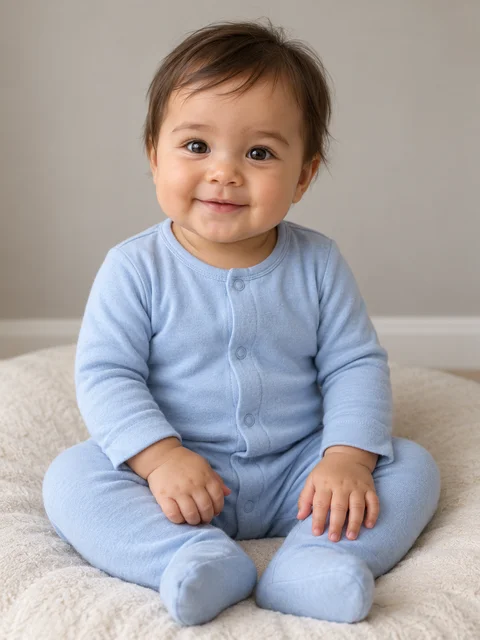
These are the reference images used to make the video above. This is our own generated example using fictional models, not a customer review. Tap a photo to inspect it.
Play with sound. The downloaded video includes the template music heard in this example; you do not need to add a track yourself.
Example output: 15 seconds, 768 × 1344, vertical MP4. The baby is replaced; the adult and room stay part of the template. Watch the hands and overlapping arms as well as the face.
THE RECIPE
How to make a Dame Hombro baby dance video
Make the version where an adult holds your baby while dancing to Dame Hombro. Upload one baby photo for a 15-second vertical video with template music. The adult and room are included in the fixed scene.
- 01
Choose a clear baby photo
Use a well-lit photo of one baby with the face visible. JPG, PNG and WebP are supported, up to 10 MB. Avoid group photos and heavy filters.
- 02
Preview the held-in-arms dance
Watch the example to check the room, framing and dance. Your photo supplies the baby's appearance; the adult is part of the template.
- 03
Generate and download
Sign in, confirm permission and check the 300-credit quote before generating. Follow progress in My creations and download the completed MP4.
What is the Dame Hombro baby dance?
Dame Hombro is a track by Bulin 47 and Kevin Wai used in baby dance clips. This AI baby dance template features a baby carried against an adult's chest, moving the hands and upper body. One uploaded photo supplies the baby's face, hair and outfit.
Looking for the Bulin 47 Baby Dance?
Bulin 47 Baby Dance and Dame Hombro Baby Dance are related names you may see for this dance trend. Watch the example above: this page makes the held-in-arms version. Other clips use a baby standing or walking toward the camera. LoftNum is an independent photo-to-video tool with no affiliation with or endorsement by the artists.
What will your video look like?
A vertical MP4 of about 15 seconds with the template soundtrack. Your photo replaces the baby; the adult and room come from the fixed scene. AI can change movement timing, hand details and overlaps, so the example shows the style rather than an exact result.
Questions before you start
What photos work best?
Choose a clear, well-lit photo of one baby, with the face unobstructed and some upper body visible. The sample uses a fictional baby. You may also use your own fictional character image.
Does the adult get replaced too?
The uploaded photo is used for the baby only. The adult remains part of the template scene; their appearance and hand details may still vary during AI generation.
How many credits does it cost?
This template costs 300 credits per video, displayed before submission. A 600-credit pack covers 2 videos at this rate. Generation requires an account and purchased credits.
How long does generation take?
The general estimate is 5–12 minutes. Our first accepted sample took about 14 minutes at the provider; busy periods and processing can take longer. You can leave the page and check My creations later.
What happens if generation fails?
When a generation task is marked failed, its credits are returned to your account. Content review and pending tasks remain visible in My creations. A finished video may differ from the example.
Who may upload a baby photo?
Only a parent, guardian or someone with their permission. Uploaded photos and customer results are private. Save completed results within the site's 7-day storage window.
Is this the standing baby dance or an adult-to-baby effect?
This template creates the version where a baby is held in an adult's arms. It does not offer the standing dance or turn an adult into a baby. Watch the sample to check that this is the version you want.