
VIDEO EXPERIENCE
Single Ladies Dog AI — Dance with Your Dog
Put your dog in the middle and yourself and a partner in the two backup-dancer positions. Keep either template dancer or replace both, at the same price. Your 15-second vertical video includes the template music.
Launched
Generated example: one dog and both dancers replaced.
The photos used for this example
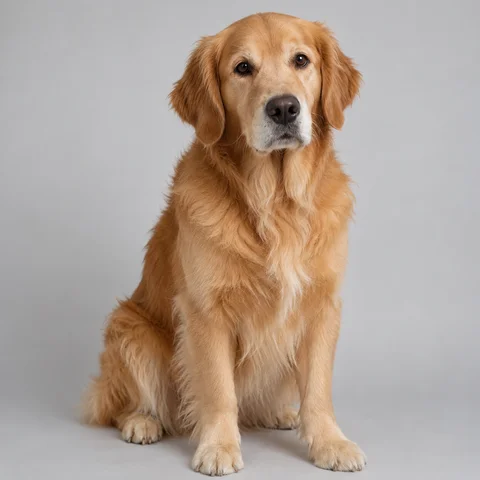
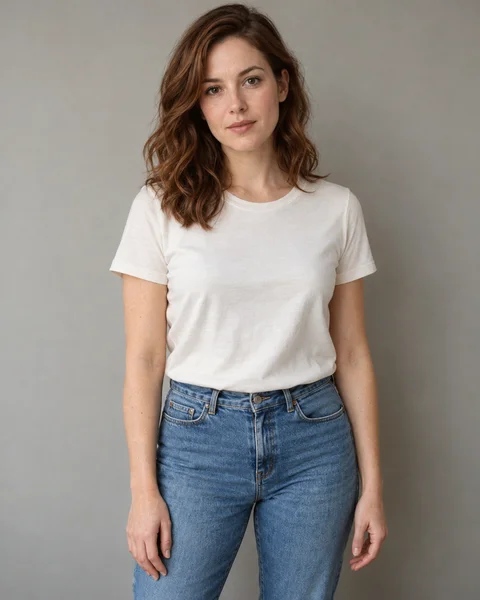
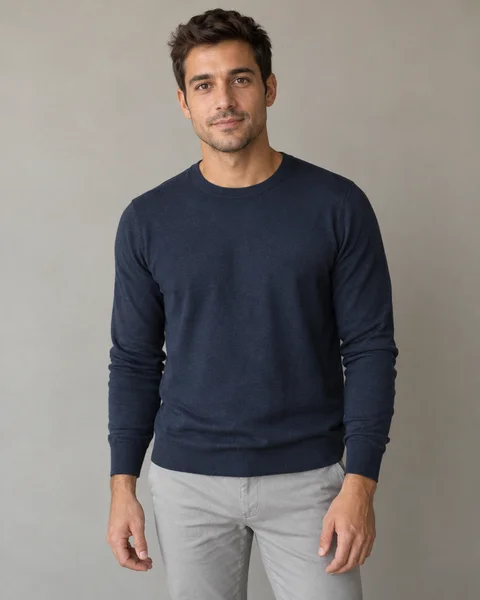
These are the reference images used to make the video above. This is our own generated example using fictional models, not a customer review. Tap a photo to inspect it.
Play with sound. The downloaded video includes the template music heard in this example; you do not need to add a track yourself.
Example output: 15 seconds, 720 × 1280, vertical MP4. Compare all three faces and the dog throughout the dance; movements and likeness can vary with your photos.
THE RECIPE
How to make a Single Ladies dog video
Put your dog in the middle and yourself and a partner in the two backup-dancer positions. Keep either template dancer or replace both, at the same price. Your 15-second vertical video includes the template music.
- 01
Upload one dog photo
Use a clear photo of one dog. JPG, PNG and WebP are supported, up to 10 MB.
- 02
Choose who joins the dance
The two dancers can stay as shown in the template. To change one or both, add a clear photo to the matching left or right slot.
- 03
Generate and download
Sign in, confirm photo permission and check the 600-credit quote. Follow progress in My creations, then download the completed MP4.
What is the Single Ladies Dog video?
This AI dance format puts a dog at the center of a three-performer scene. Your dog photo supplies the central character. You can keep the two template dancers or add a separate photo for either side.
Looking for the dog dancing to Single Ladies?
The format uses the dance associated with Single Ladies (Put a Ring on It). If you are looking for a Single Ladies dog AI tutorial or a way to put your dog in that dance, watch the example above to check the version. LoftNum is an independent creation tool.
What will your video look like?
A 15-second vertical MP4 with your dog as the central dancer. Optional people take the left and right dance positions. The generated example shows the intended result; movements, faces and details can vary.
Questions before you start
Which dog photo should I use?
Use a sharp photo of one dog, with its face unobstructed and preferably its body visible. Avoid heavy filters, multiple dogs and very small or blurry subjects.
Do I need to upload a dance video?
No. Upload one dog photo; the dance scene is already part of this template.
Is this a free Single Ladies dog generator?
You can watch the example before purchasing. Video generation requires paid credits: 600 credits for this 15-second template. A 600-credit pack covers one video.
How long does generation take?
Estimated generation time is 5–12 minutes. Busy periods and processing may take longer. You can leave the page and check My creations later.
Can I replace the dog with a cat or person?
The central role is designed for a dog. People have their own optional left and right dancer slots. Other pets have not been validated.
Will the moves match exactly?
The template aims to follow the original choreography and framing. AI may alter movements, faces and details; an exact match is not guaranteed.
What happens if generation fails?
Credits are returned when a task is confirmed failed. Photos and finished results are private. Download completed results within 7 days.
Can I replace one dancer and keep the other?
Yes. The left and right photo slots are independent. Leave a slot empty to keep that template dancer.
Do the dancer photos cost extra?
They are part of the same 15-second video at 600 credits. The price is shown before generation.
Can I use a friend’s photo?
Use photos you own or have permission to edit. Obtain the person’s agreement before uploading their photo.