
PHOTO EXPERIENCE
Tim Burton Girls Photo Generator
Upload your portrait for an eyes-covered group photo with four gothic characters. Keep the default cast or replace any supporting character with your own image.
Launched
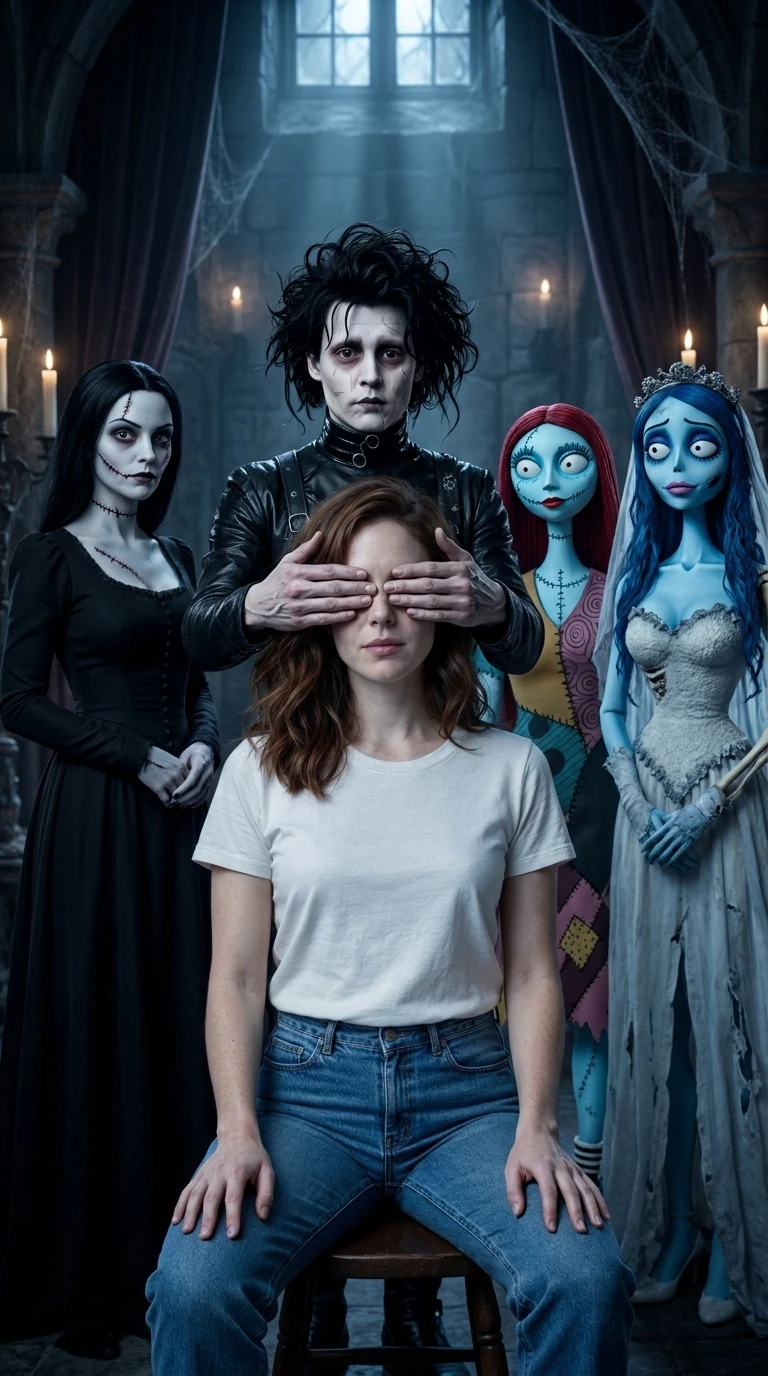
AI-generated example
THE RECIPE
How to make a Tim Burton Girls photo
Upload your portrait for an eyes-covered group photo with four gothic characters. Keep the default cast or replace any supporting character with your own image.
- 01
Upload your portrait
Choose a clear photo of one person, with the face, hair and shoulders visible. This person sits in the center.
- 02
Keep or change the cast
Continue with the default cast, or open “Change the group characters” and upload an image for each position you want to replace.
- 03
Generate and download
Check the roles and displayed credit cost, then generate. View and download your vertical group photo here or in My Creations.
What is the Tim Burton Girls photo trend?
You sit in the middle of four gothic characters while the person behind you gently covers your eyes. This template creates one still group portrait, keeping your hair and outfit in a shared gothic setting.
Looking for the Chicas Tim Burton eyes-covered photo?
Chicas Tim Burton and Tim Burton Girls are names used for this group-photo composition. This is a five-person portrait, rather than Broken Doll cracked makeup or a cartoon makeover of your face. No CapCut installation is required.
Who can replace the four characters?
Upload other people or characters to change one to four supporting roles. Each upload belongs to its selected position; empty slots keep their default characters. The setting and eyes-covered composition stay the same.
Questions before you start
How many photos do I need?
One portrait is required for the center person. Each of the four supporting roles accepts an optional image, so you can upload 1–5 photos in total.
Can men use this template?
Yes. The center person and custom characters are not restricted by gender. Use clear single-person images; appearance and clothing follow the references.
Why are the eyes covered?
Two hands covering the center person’s eyes are part of this template. The nose and mouth remain visible.
Do character replacements cost extra credits?
You pay for one group-photo generation, not separately for each optional character. Check the generation button for the current credit cost.
Is this a video or an official CapCut template?
This independent LoftNum AI photo experience creates one vertical still image. It is not a video or an official product of the film studios or CapCut.
What happens if generation fails?
Check progress here or in My Creations. Confirmed failures return the generation credits under the displayed rules; tasks needing review show that status.